


Billionairespin App
The Billionairespin app gives players a fast mobile way to open the platform without a heavy install file or a long setup. It keeps the main casino tools close, so you can move from the lobby to your account, payments, or support in a few taps.
We built the mobile version for practical use. The layout stays clear on a smaller screen, the main buttons stay easy to reach, and the same profile follows you across devices. One profile keeps your balance, account settings, and recent activity in the same place. The Billionaire Spin casino profile works the same way, so switching between phone and desktop does not feel like starting again.



What the App Is
Our Billionairespin application runs in a browser-based format. Instead of using a large store download, players open the platform in a modern browser and add it to the home screen. After that, the shortcut works like an app-style entry point and gives faster access to the same platform.
This format helps us keep the product light and current. When we update the site, the new version loads automatically the next time you open it. This keeps the Billionairespin app current and removes the need for manual updates. The Billionaire Spin application follows the same idea on different devices, which makes the mobile experience more flexible.
Why the Mobile Format Works
The main value of the Billionairespin app is not only access. It is also about how quickly players can return to the platform during a normal day. Some users want a short slot session. Others want to check promotions, finish a payment step, or join a live table for a few minutes. A browser-based shortcut suits those habits better than a heavy install process.
We also keep the structure close to the main site. That matters because players do not need to learn a different system on mobile. Billionairespin casino uses the same core logic on both versions, while the Billionaire Spin casino layout simply adjusts for touch control and smaller screens.
| Mobile moment | What the app helps you do | Why it feels useful |
| Short break during the day | open the lobby and continue quickly | less time spent searching for the site |
| Checking account activity | review balance, payments, and recent actions | easier profile control on the go |
| Joining a live session | move from homepage to live tables fast | fewer taps before play |
| Returning later on desktop | keep the same profile and account flow | smoother switching between devices |
What You Can Do Inside the App
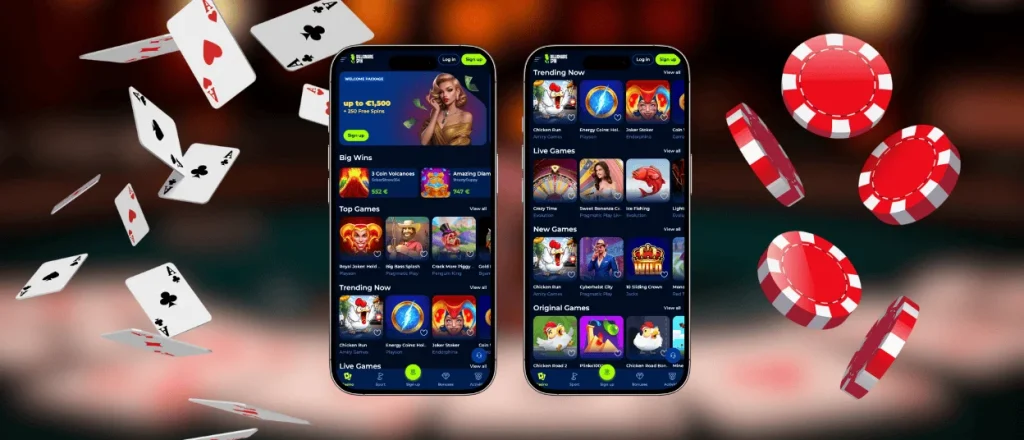
Inside Billionairespin casino, players can browse slots, open live tables, check bonuses, and use the cashier without leaving the main flow. The Billionaire Spin app also keeps search and category pages easy to use, which matters on a smaller screen.
Main actions inside the app include:
- opening slots, live games, and fast formats from the same lobby
- using the cashier for deposits, withdrawals, and transaction history
- checking current promotions, tournaments, and loyalty progress
- contacting support without closing the current session
This is where the mobile format feels most useful. It does not try to become a different product. It gives faster access to the same core platform in a layout that suits phones and tablets better.
Billionairespin App on Android
On Android, the Billionairespin app works well in Chrome and other updated browsers. Players can open the official site, add the shortcut to the home screen, and launch the platform in one tap. This keeps setup short and removes the need for a separate APK file.
Android use also feels practical because the same device can handle both the gaming session and many payment confirmation steps. Search stays easy to reach from the main header, and the lobby remains simple to browse. This makes the Billionaire Spin app a strong option for short sessions and quick account actions.
Billionairespin Application on iOS
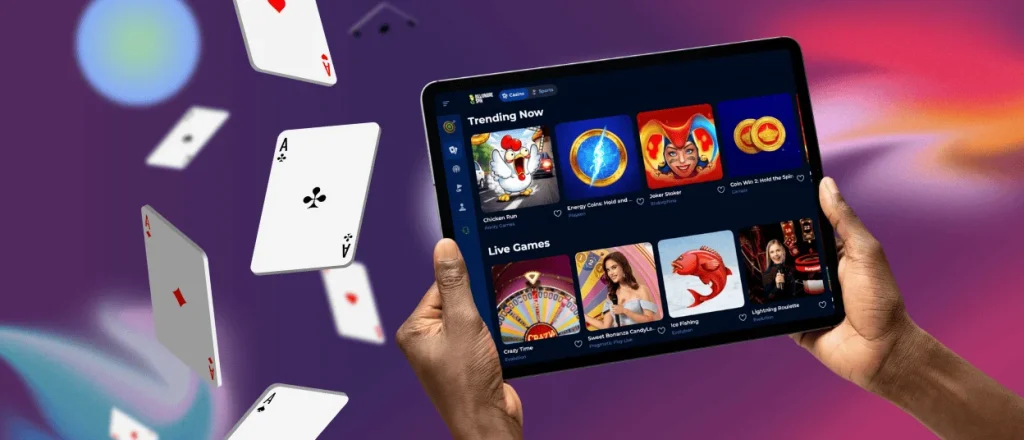
On iPhone and iPad, Safari usually gives the cleanest setup. Players can save the shortcut to the home screen and open the Billionairespin application in a focused view with fewer browser elements. This creates a more direct mobile experience and gives more space to the lobby itself.
The iOS version keeps the same account structure as desktop. Balance, profile tools, and game access stay connected to one profile. On iPad, the extra screen space helps with category browsing and live tables, while on iPhone the touch layout keeps navigation simple and direct.
Desktop and Tablet Access
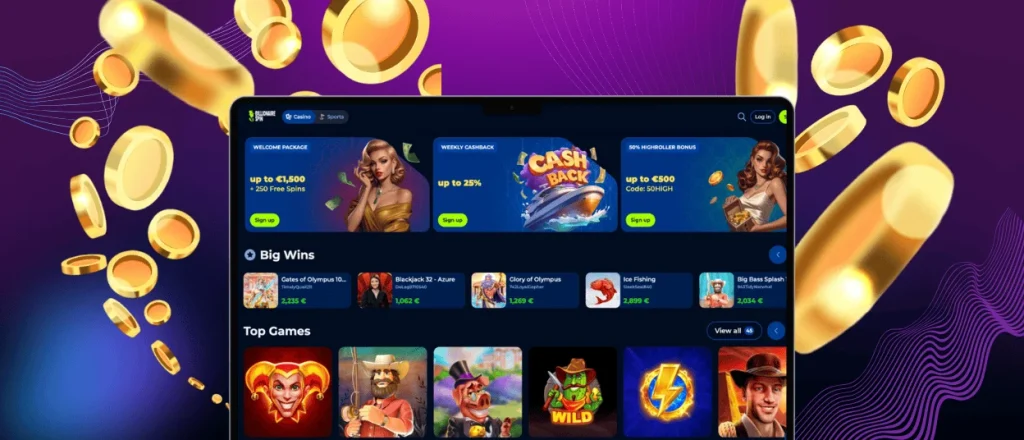
Mobile is the main focus of this page, but larger screens still matter. Some players prefer a desktop browser for longer sessions, detailed payment checks, or reading account information more comfortably. Some players choose a tablet because it offers a wider screen but still keeps the comfort of mobile play. The Billionaire Spin application also supports shortcut access on Windows and macOS through a browser.
This adds one-click access without changing the product itself. It is still the same Billionairespin casino environment, only in a format that fits the screen better.
| Device | Best way to open it | Best use case | Practical note |
| Android phone | Chrome shortcut | quick sessions and fast browsing | keep the browser updated |
| iPhone / iPad | Safari shortcut | stable mobile use and easy account access | Safari usually gives the cleanest setup |
| Tablet | browser or home-screen shortcut | longer browsing and live play | landscape view gives more room |
| Windows / macOS | modern browser or desktop shortcut | longer sessions and account tasks | larger screens help with details |
Security and Daily Use
Security should stay simple and visible. The Billionairespin application uses the same secure website environment as the main platform, so account actions and payment steps stay protected in the usual way. The safest setup comes directly from the official site, not from copied links or third-party files.
A few habits improve daily use and help keep the account safer:
- add the shortcut only from the official website
- keep the browser and device updated
- log out after play on a shared device
This matters because the Billionairespin app is part of the same service as the main site. The Billionaire Spin casino mobile version does not need random installers or unofficial downloads. A direct shortcut from the official platform is the cleaner and safer option.
Mobile Features That Matter Most
We keep the mobile experience focused on practical benefits. The Billionairespin app makes it easier to enter the platform quickly, move around the lobby, and handle account tasks with less friction. That is more useful than filling the page with technical language.
Many players use the mobile format for the same clear reasons:
- one-tap access from the home screen
- a clear layout with touch-friendly navigation
- the same account across mobile and desktop
- quick entry to games, promotions, and cashier tools
These points explain why the app fits regular use so well. It saves time, keeps the main tools close, and supports both short visits and longer sessions.
FAQ
Do I need a separate account to use the app?
The same account works on mobile and desktop, so there is no need to register again. One profile keeps your balance, account settings, and recent activity in the same place.
Is the app a normal App Store or Google Play download?
The mobile version works in a browser-based format, so players add it as a shortcut from the official website instead of installing a large store package. This approach also keeps updates simpler.
Can I switch between phone and desktop without losing my place?
The platform links your session flow to your account rather than to one device. This lets players open the same profile on mobile and continue later on desktop with the same balance and account tools.
Does the app use a lot of storage on my device?
The Billionairespin application uses little storage because it runs mostly through the browser. Most saved data comes from normal cache files instead of a full native install.
Why does the app look different from a normal browser tab?
The shortcut can open the platform in a more focused view with fewer browser elements on screen. This gives more space to the lobby and helps the mobile layout feel cleaner during play.


